Closed beta · Invite only

Get better at System Design by making the calls.

Short daily quests put a real system in front of you. Pick the fix, order the steps, wire the architecture, then see the trade-off behind every answer.

  • 10–15 minutes a day. Decisions, not lectures.
  • For backend engineers, interview preparation, and engineers who check what their AI tools design.

The Architect

We'll learn system design one decision at a time.

Architecture Canvas

Build a system, then run traffic through it

  1. Drag in the components: a client, a load balancer, an API service, a cache and a database.
  2. Connect how requests flow between them.
  3. Run traffic and see what breaks first. At a spike of 180 requests a second, the API Service is near its limit: 90%.
Real product screen, sample data

Try a challenge

Try every kind of exercise

These are the five kinds of exercise you'll do each day. Pick one, answer it and check. Nothing is saved to an account.

Single choicePick the best fix for a real problem.
OrderingPut the steps in the right order.
MatchingMatch each term to what it means.
Decision cardMake a call and give your reasons.
Architecture canvasConnect the parts of a system.

0 of 5 tried

Single choice

Pick the best fix for a real problem.

The beta curriculum

4 islands, 12 skills, then an incident and a boss.

  1. Island 1Requests & Latency3 skills + checkpoint
  2. Island 2Scaling Out3 skills + checkpoint
  3. Island 3Data & Consistency3 skills + checkpoint
  4. Island 4Async & Reliability3 skills + checkpoint
  5. IncidentFailure LabA simulated outage
  6. FinaleFinal BossOne full design

How it works

Three steps, every day

  1. Step 1: Take a short quest

    Each day brings a mission of a few exercises about real systems, like a slow product page or a busy database.
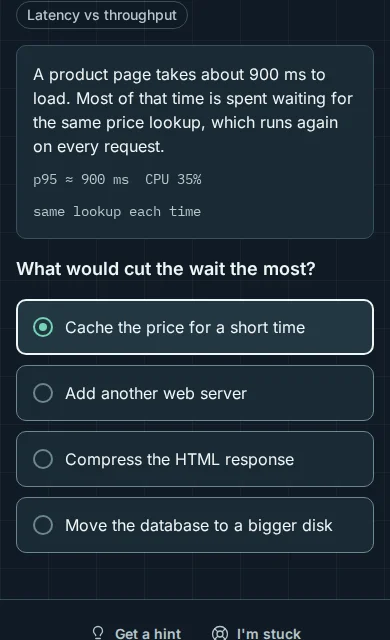
    The Daily Mission screen on a phone: a product page takes about 900 ms to load, and the question asks what would cut the wait the most. The cache option is picked.
    Real product screen, sample data
  2. Step 2: Get feedback at once

    Every answer gets an explanation of the trade-off, and the common mix-up behind a wrong pick.
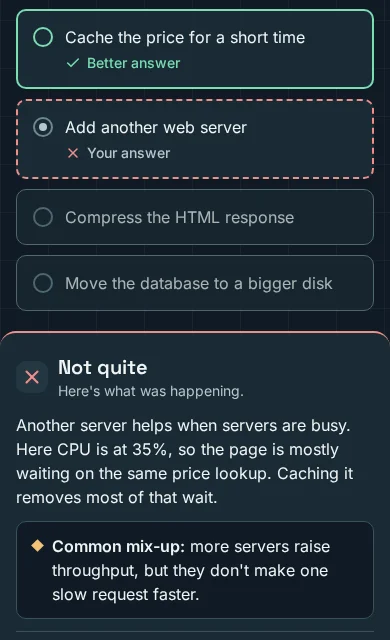
    The feedback screen on a phone: 'Cache the price for a short time' is marked Better answer, and the answer 'Add another web server' is marked Not quite. The explanation says the page waits on the same price lookup, so caching removes most of the wait.
    Real product screen, sample data
  3. Step 3: Design the architecture

    Bigger challenges ask you to connect the parts of a system yourself, then check your design against the goals.
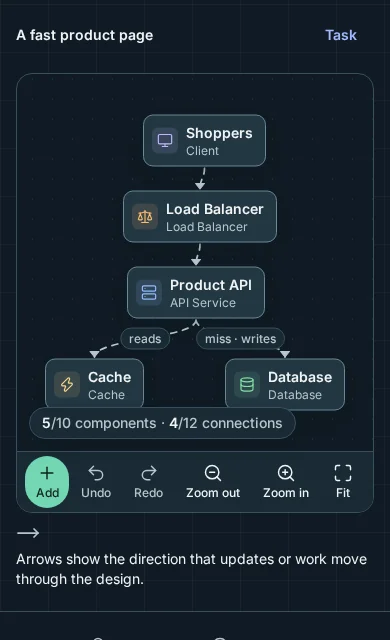
    The architecture canvas on a phone: Shoppers connect to a load balancer, then a product API, which reads from a cache and writes to a database.
    Real product screen, sample data

World map

Clear the islands, then face the Final Boss

Each island holds three skills and ends with a checkpoint. Islands open in order as you go. This is an example map after the first island.

  1. Island 1Requests & LatencyCleared
  2. Island 2Scaling OutYou are here
  3. Island 3Data & ConsistencyLocked
  4. Island 4Async & ReliabilityLocked
  5. Final BossOrder updates at rush hourLocked

Smart Review

It brings back what you're about to forget

Smart Review picks a few short exercises on the skills you found tricky or haven't used for a while. It's optional, and it says why it picked each one.

Request an invite
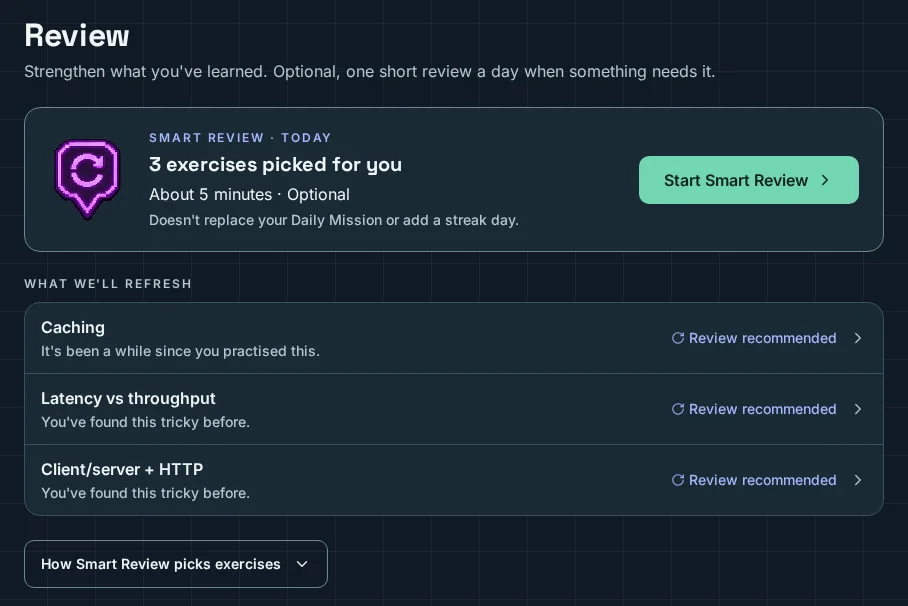
The Review screen: Smart Review has picked exercises for today. Caching is listed because it's been a while, and Latency vs throughput because it was tricky before.
Real product screen, sample data

Progression

Watch your journey grow, island by island

Your journey shows the island you're on, the step you're learning now and the next checkpoint. Each skill shows where you stand, based on your answers.

Request an invite
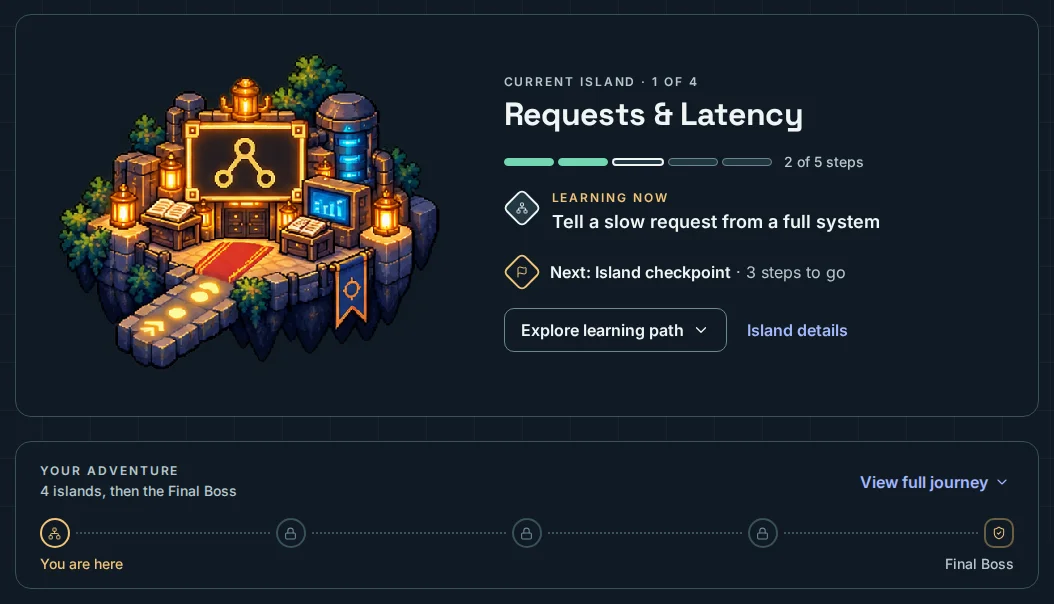
The My Journey screen: the current island is Requests & Latency, 2 of 5 steps done, learning to tell a slow request from a full system. Below, the adventure path shows four islands, then the Final Boss.
Real product screen, sample data

Failure Lab

Fix an incident before it's real

In the Failure Lab, a system breaks under load ("Traffic spike: database under pressure"). Read the signals, pick an intervention and see what changes. The numbers are simulated, so failing here is safe.

Request an invite
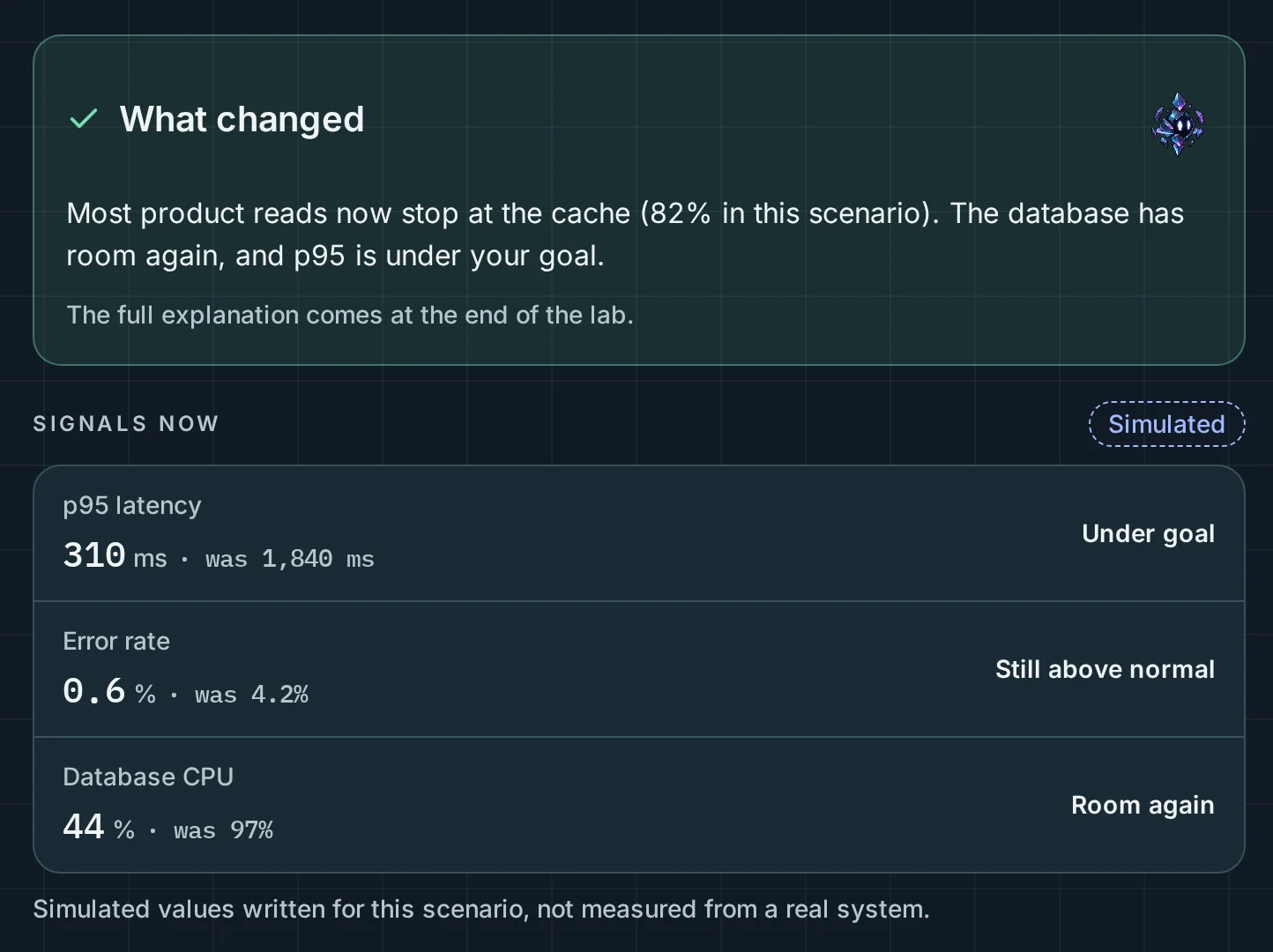
The Failure Lab result after a decision: most product reads now stop at the cache. Simulated signals show p95 latency, error rate and database CPU before and after.
Real product screen, sample data

Curriculum

System Design Foundations

4 islands and 12 skills, then a Failure Lab incident and a Final Boss challenge.

  1. Island 1

    Requests & Latency

    Follow a request from the browser to the server and back. Learn to tell a slow system from a full one, and choose when an API call should wait for its result.

    • Client/server + HTTP
    • Latency vs throughput
    • API design
  2. Island 2

    Scaling Out

    Spread traffic across servers, keep servers stateless so you can add more as load grows, and keep hot data close with a cache.

    • Load balancing
    • Horizontal scaling
    • Caching
  3. Island 3

    Data & Consistency

    Make reads fast with indexes, copy data to more nodes for scale and failover, and decide what a reader may see after a write.

    • Database indexes
    • Replication
    • Consistency
  4. Island 4

    Async & Reliability

    Move slow work off the request path, make retries safe with idempotency, and protect shared capacity with fair rate limits.

    • Queues
    • Idempotency
    • Rate limiting
  5. Failure Lab

    Traffic spike: database under pressure

  6. Final Boss

    Order updates at rush hour

From the beta

We're in a closed beta, so there are no reviews here yet. When beta testers share theirs, real ones will appear here.

Your first quest is waiting

The beta is invite only. Ask for an invite, or sign in if you already have one.

I have an invite · Sign in